
Six steps, about fifteen minutes, done entirely by you — we never need your password or your card. At the end you send us one key, and the translation plugin on balonkypraha.cz can start working.
Where: platform.claude.com
You’ll need: an email address and a payment card
Time: ~15 minutes
01. Create the Console account
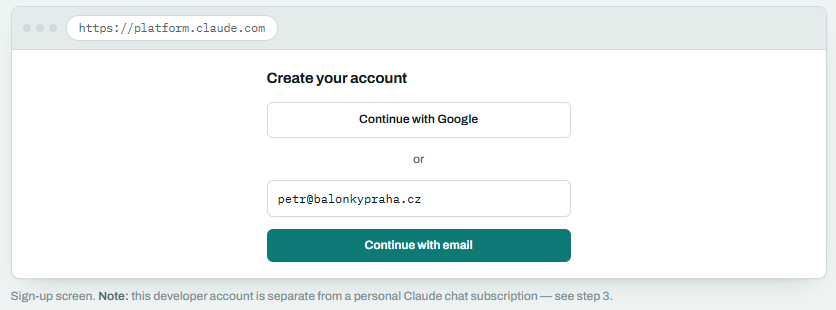
Open platform.claude.com and sign up — with Google, or with an email address and password. Older links to console.anthropic.com land in the same place.
Use a company address you’ll keep long-term, since invoices and any billing alerts go there. A shared mailbox works better than a personal one.
02. Name the organisation
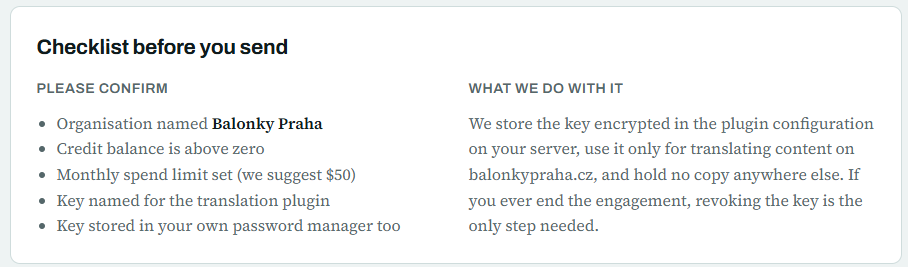
On first sign-in you’re asked for an organisation name. Enter your company name — Balonky Praha — because this is the name printed on the invoices. If it asks what you’re building, “e-commerce content translation” is an accurate answer; nothing here restricts what you can do later.
You may also be asked to confirm a phone number. That’s a one-time anti-abuse check.
03. Add credits
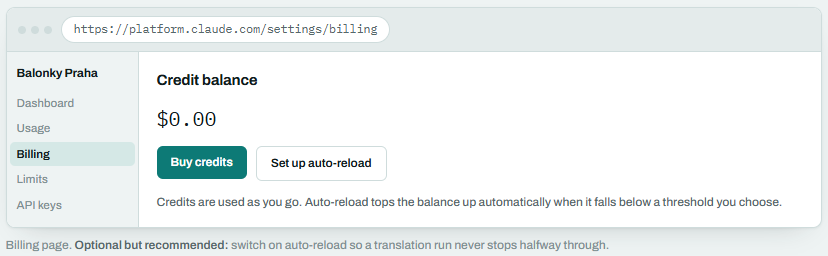
Left sidebar › Settings › Billing › Buy credits
The API runs on prepaid credit: you buy a balance with a card, and usage is drawn from it. Nothing works until there’s a balance, so this step is not optional.
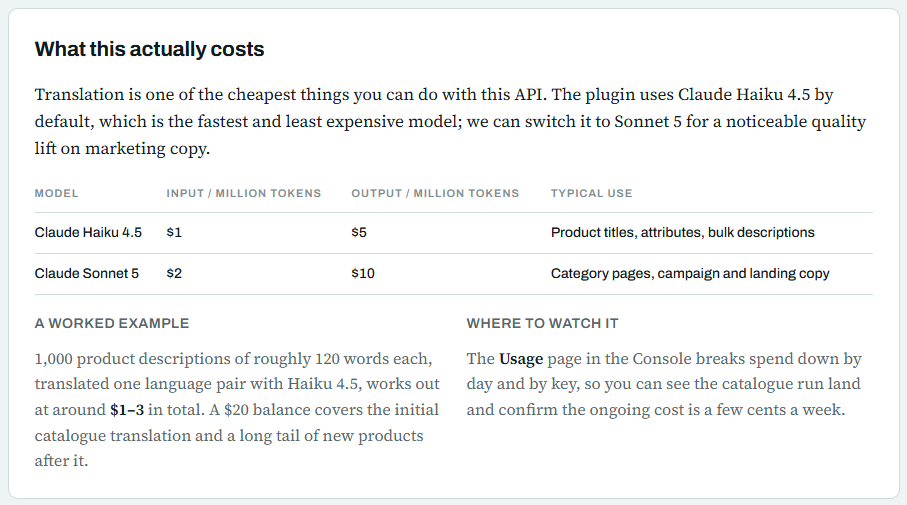
Start with about $20. For translating a shop the size of balonkypraha.cz that is more than enough — see the cost note below. You can top up any time.
Important
A Claude Pro or Max chat subscription does not include API usage. Even if someone at Balonky already pays for Claude, these credits still have to be bought. Purchased credits expire one year after purchase and are non-refundable.
04. Set a spending limit
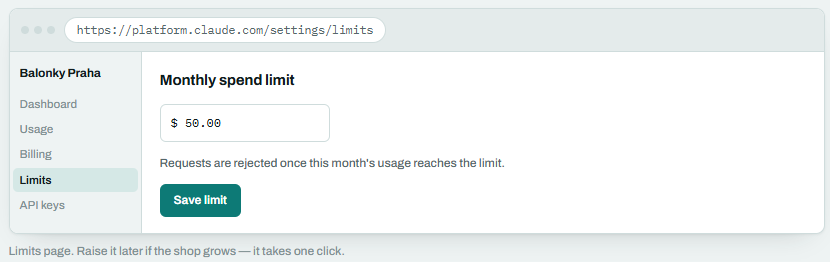
Settings › Limits
Set a monthly cap — $50 is a sensible ceiling for a translation plugin. It is a hard stop: the API refuses requests past it rather than quietly billing more. This protects you from a runaway loop or a mistake on our side, and it costs you nothing to set.
05. Create the key
Settings › API keys › Create key
- Name it Balonky – nopCommerce translation. The name is only a label, but a clear one means you can revoke exactly this key later without breaking anything else.
- Leave the workspace as Default unless you’ve created others.
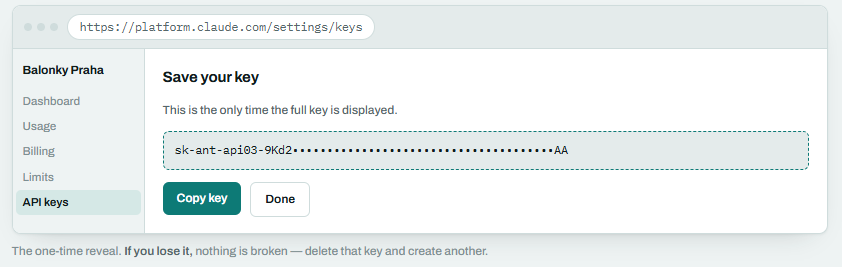
- Copy the key the moment it appears. It is shown once and never again. Paste it straight into a password manager.
06. Send it to us safely
A key is a password. Anyone holding it can spend your credit balance, so please don’t put it in a plain email, a chat message, or a support ticket.
- Best: a one-time secret link (for example onetimesecret.com) — it self-destructs after we open it.
- Also fine: a shared item in 1Password, Bitwarden or LastPass.
- Acceptable: Signal or WhatsApp, then delete the message once we confirm receipt.
Tell us in the email that you’ve sent it and which channel — but never the key itself in that email.
You stay in control
The key stays yours. You can see exactly what it has spent under Usage, and revoke it from the API keys page at any moment — translation simply stops until you issue a new one. We will never need your Console password or card details.
If something goes wrong
The plugin says “credit balance is too low”
The balance has run out, or the monthly spend limit has been reached. Open Settings → Billing to top up, or Settings → Limits to raise the cap. Translation resumes immediately afterwards; nothing is lost.
“Invalid API key” or authentication error
Usually a copy-paste problem — a missing character or a trailing space. The key should begin with sk-ant-api03- and contain no line breaks. If in doubt, delete that key in the Console and create a fresh one; sending us a new key is a two-minute fix.
I closed the window before copying the key
Not a problem, and nothing is exposed. The key can’t be shown again, so delete it from the API keys page and press Create key once more.
Where do I find the invoices?
Settings → Billing holds the payment history and receipts, under the organisation name you entered in step 2. Add your VAT and company details there if you need them on the invoice.
Can I use the same key for something else later?
Technically yes, but it’s better not to. Create a separate key per application — then usage is attributable, and revoking one never affects the other.
Share


Ready to bring AI into your business
We’d love to hear from you — let’s start the conversation today.
Let’s Talk