
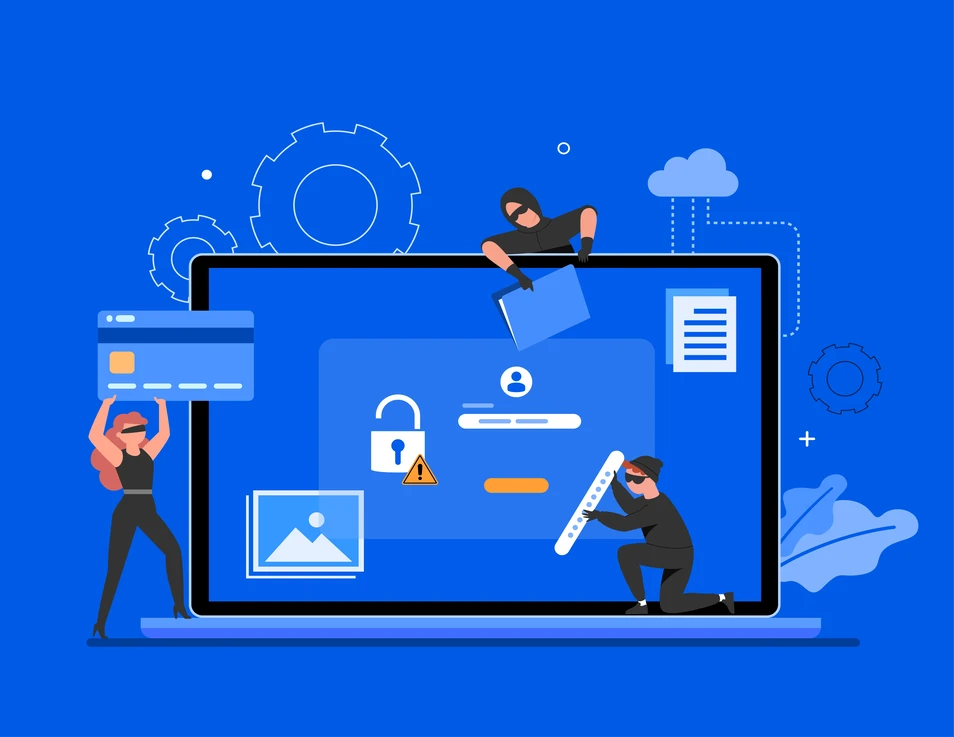
When it comes to running an e-commerce site, it’s not just about good design, fast load times, or a smooth checkout experience, it’s also about security. With more people shopping online than ever, e-commerce websites have become a prime target for cybercriminals.
These attackers often try to steal sensitive customer data, including personal and financial information. When building an online business, one of your top priorities should be protecting your customers and their data. That’s why e-commerce security isn’t just important, it’s essential.
E-commerce security includes all the protective steps used to keep your site safe. It helps guard online transactions, customer data, and digital assets from attacks. Whether you’re running a small or a large online business, strong e-commerce security is a must.
In this article, we’ll look at the most common security threats to e-commerce websites. You’ll also learn how to protect your site using safe coding, built-in tools, and simple steps to stay secure.
Common Vulnerabilities
When it comes to e-commerce security, the following are some of the most common vulnerabilities:
- SQL injection
SQL injection is a malicious technique where attackers insert harmful SQL queries into input fields to gain access to your backend database. This can allow them to view, manipulate, or even delete your data. In some cases, they may also inject malicious code, which can corrupt the system or expose sensitive information.
- Cross-site scripting (XSS)
Cross-site scripting (XSS) occurs when an attacker injects malicious JavaScript code into parts of your website that other users can view such as comments, reviews, or product pages. When someone visits the infected page, the script runs in their browser. This can lead to stolen session cookies, session tokens, or even redirection to fake checkout pages designed to steal login or payment information.
- Brute-force attacks
Brute-force attacks happen when an attacker tries to guess login credentials using a trial-and-error method. This often targets admin panels or user accounts with weak passwords and no protection against repeated login attempts. The attacker tries many combinations of usernames and passwords until the correct one is found, gaining unauthorized access to your site, data, or customer accounts.
Secure Coding Practices for Themes and Plugins
In e-commerce websites, many security issues come from themes and plugins. This is mainly because they are often developed by third parties, and not all developers follow secure coding practices. These components may include outdated libraries, insecure functions, or poorly configured permissions. Because of this, developers play a key role in keeping an e-commerce site safe. By following good coding practices, we can greatly reduce the risk of security breaches.
Input Validation and Sanitization
Always check that the data users enter is in the right format before using it. For example, make sure an email looks like an email. Clean the input by removing anything dangerous like special characters that could be used in an attack. This helps stop hackers from injecting harmful code into your site.
Output Escaping
Before showing any user-submitted data on your website, make sure it’s escaped. Escaping means making the data safe so it can’t run scripts in the browser. This helps prevent cross-site scripting (XSS) attacks, where hackers try to trick the browser into running their code.
Secure Database Interactions
Use safe methods when working with your database. Instead of writing SQL directly, use prepared statements or your platform’s built-in functions. This keeps user input separate from database commands and helps prevent SQL injection attacks.
Authentication and Authorization
Use strong passwords and add extra protection like two-factor login for admin accounts. Give users only the permissions they need to do their job, not more. Never store passwords or secret keys directly inside your theme or plugin files.
Error Handling and Logging
In a live website, don’t show detailed error messages to users. These can give hackers clues about your system. Instead, log errors in a secure way so you can fix them later without exposing private information.
Secure File Operations
Only allow safe files to be uploaded, limit the type and size. Store uploaded files outside the main website folder when you can. Also, turn off file editing features in the admin panel unless you really need them, and block users from viewing your site’s folders.
Regular Updates and Security Audits
Keep your themes, plugins, and platform updated to patch security holes. Regularly test your site and code for weak spots so you can fix them before they become a real threat.
Third-Party Code Security
Only use third-party code from trusted sources. Avoid installing too many extras. The fewer plugins and libraries you use, the fewer chances there are for hackers to find a way in.
Platform-Specific Security
- WordPress
WordPress has several built-in features to keep your website safe. It supports SSL for secure connections. It also has a strong user role system to control what users can see or do. You can require strong passwords and limit login attempts to stop brute-force attacks.
WordPress updates itself automatically for small core fixes, which helps patch security issues quickly. You can manage file permissions and turn off file editing in the dashboard for added safety.
To make your site even more secure, you can install plugins like Wordfence. These plugins add extra layers like firewalls, malware scanning, and user activity logs. To use these features, turn on SSL in your hosting, use WordPress’s user role tools, and only install trusted plugins.
- NopCommerce
NopCommerce is built on Microsoft’s ASP.NET Core framework, which includes strong security features. It follows European Union laws and updates its system based on legal changes. It also meets PCI compliance for secure payments.
The platform offers advanced access control (ACL). This lets admins give each user a specific role with the right level of access. It supports SSL for secure browsing and checkout, and it uses honeypots to block spam.
You can also set password rules to make sure customer accounts are strong and safe. All of these settings can be found and managed from the admin dashboard, under the security or general settings sections.
Mitigation Strategies
To keep your e-commerce store secure, always follow key best practices. Make sure your plugins, themes, and platform core are regularly updated, as outdated software is a common target for attacks. Only use trusted plugins and themes from verified developers or official marketplaces, check reviews and update history before installing.
Educate your team on basic security habits like using strong passwords, avoiding suspicious links, and spotting phishing attempts. Finally, use reliable security tools such as static code analyzers during development, web application firewalls to block harmful traffic, and backup solutions to quickly restore your site in case of an attack.
Conclusion
Keeping your e-commerce site secure isn’t something you do just once, it’s something you need to keep doing. Themes and plugins make your site more powerful, but they can also bring risks if you’re not careful. By writing secure code, using the security tools in WordPress and nopCommerce, keeping everything updated, and teaching your team good habits, you can protect your store, your customers, and your reputation.
Share


Ready to bring AI into your business
We’d love to hear from you — let’s start the conversation today.
Let’s Talk